

Introduction
Good volunteer onboarding follows a fixed sequence. Confirm and screen the applicant. Orient them to the role and the mission. Train them for what they’ll actually do. Then schedule a first shift with a clear point of contact. Organisations that do this well automate the repetitive steps, like screening status, reminders, and training assignment. That frees coordinators to spend their time on the parts of onboarding that need a human.
What should a volunteer onboarding checklist include?
A complete volunteer onboarding checklist covers five stages: application and screening, a welcome and mission orientation, role-specific training, a first-shift walkthrough, and a follow-up check-in. Missing any one of these is the most common reason volunteers disengage in their first 30 days.
- Confirm the application and start screening. Trigger any required background checks or credential verification immediately on application, not after a coordinator manually reviews it. Schedule interviews (if this is apart of your screening), perform reference checks and digitally collect waivers.
- Send a welcome message. Automated, but personal, confirming next steps and a realistic timeline for when screening will clear.
- Orient to the mission and the role. Cover what the organisation does and what the volunteer’s specific role achieves. Be clear on what’s expected of them, including responsibilities and any health and safety basics.
- Deliver role-specific training. Assign the training modules that role actually needs, not one generic induction for every volunteer type.
- Schedule the first shift. Confirm shift details, who they’re reporting to, and what to bring. Communicate regularly via instant messaging, emails and SMS as well as send push notifications for any updates to a volunteers shift.
- Follow up after the first shift. A short survey or check-in catches problems early. It’s the easiest way to improve onboarding over time.
How long should volunteer onboarding take?
Timelines depends mostly on screening requirements. A role with no background check can go from application to first shift in a few days. A role requiring a formal background check or collection of credentials or conducting interviews typically takes one to three weeks. That timeline is set by the external screening provider, not by the organization.
Application to screening initiated
Typical timeframe: Same day
What determines the length: Automation triggers this instantly; manual review adds days
Screening turnaround
Typical timeframe: 3 days to 3 weeks
What determines the length: External background check provider, not the organization
Orientation and training
Typical timeframe: 1 to 5 days
What determines the length: Self-paced online training moves faster than scheduled in-person sessions
First shift scheduled
Typical timeframe: Within 1 week of clearance
What determines the length: Depends on shift availability and role type
Manual processes, spreadsheets and volunteer management software that isn’t fit for purpose can slow onboarding down. Each step, from application and screening to training and scheduling, relies on someone manually moving the process forward. For SecondBite and FareShare, this meant onboarding could take four to ten weeks. Automating the process significantly reduced that timeline.
One-on-one, group, or event onboarding: which should you use?
The right onboarding format depends on role complexity and volunteer volume, not organisation size. Complex, ongoing roles suit one-on-one orientation. High-volume, similar roles suit group onboarding. Time-boxed events suit on-site orientation, delivered right before the shift starts.
- One-on-one: best for specialised or ongoing roles, like a fundraising lead or a long-term program volunteer. The coordinator needs to understand the individual’s background and tailor the role to it.
- Group: best when several volunteers are filling the same role. The onboarding content only needs delivering once.
- Event-day: best for one-off or seasonal events. Build onboarding time into the schedule itself. Have volunteers arrive 20 to 30 minutes before their shift so it doesn’t compress into a rushed briefing.
Why does automated onboarding communication matter?
Coordinators managing onboarding manually are often juggling email, SMS, and phone calls at once. Most of that traffic is the same handful of questions, repeated for every volunteer: screening status, training reminders, first-shift details. Automating those messages doesn’t just save time. It ensures nothing gets missed at scale.
The specific messages worth automating:
- Welcome message on application received
- Screening status updates (submitted, in progress, cleared)
- Training assignment and reminders
- First-shift confirmation and details
- Post-shift follow-up survey
Rosterfy’s automations engine cuts this kind of manual onboarding workload by up to 75%. That frees coordinator time for the parts of onboarding that actually need a person: building relationships, tailoring roles, and catching the volunteers who need extra support.

World Scouting automates 85% of their onboarding
Rosterfy automated 85% of World Scouting’s volunteer screening and onboarding, reducing a process previously managed by two staff and six volunteers to just one staff member supported by automation.
Does compliance screening slow down onboarding?
Compliance screening doesn’t have to slow onboarding down, as long as it’s built into the workflow rather than bolted on afterward. The most common failure isn’t the screening step itself. It’s a volunteer getting scheduled before their check has cleared. That’s a rostering problem, not a screening problem.
Screening requirements vary by role, jurisdiction, and sector: background checks, safeguarding certifications, role-specific credentials. But the onboarding principle is the same everywhere. Verification status should block scheduling automatically. It shouldn’t rely on a coordinator remembering to check before rostering someone.
Rosterfy’s training and induction tools enforce this at the point of scheduling. Background check integrations keep verification status synced automatically, instead of tracked in a separate spreadsheet.
What should you measure to know onboarding is working?
Three metrics tell you whether onboarding is working.
- Time from application to first shift
- Volunteer drop-off rate before first shift, and
- Coordinator hours spent per volunteer onboarded.
Track these over time, not just at launch. That’s what turns onboarding from a one-off setup task into something you can actually improve.
If time-to-first-shift is stretching out, look at where handoffs stall. It’s usually training assignment or shift scheduling, not screening itself. If drop-off before first shift is high, the gap is usually orientation quality, not the application process. If coordinator hours per volunteer stay flat as volunteer numbers grow, onboarding probably hasn’t been automated yet.
When does manual onboarding stop working?
Manual, spreadsheet-driven onboarding tends to work up to a few dozen volunteers. Past that, the coordination overhead grows faster than the volunteer count does. Tracking screening status, training completion, and shift assignment across emails and spreadsheets gets harder to manage at scale. This is usually the trigger point for moving to dedicated software.
If you’re coordinating 100 or more volunteers across multiple roles, and any of it still runs through email threads or a shared spreadsheet, that’s the point worth automating first. Fix onboarding before recruitment or retention.
Download the volunteer onboarding checklist
No two volunteer roles are the same, yet many organisations take a one-size-fits-all approach to onboarding to ensure every compliance requirement is covered.
This exercise will help you map your volunteer roles and identify the specific onboarding, training and compliance requirements for each, enabling you to deliver personalised volunteer journeys that improve engagement while maintaining compliance.
Introduction
Good volunteer onboarding follows a fixed sequence. Confirm and screen the applicant. Orient them to the role and the mission. Train them for what they’ll actually do. Then schedule a first shift with a clear point of contact. Organisations that do this well automate the repetitive steps, like screening status, reminders, and training assignment. That frees coordinators to spend their time on the parts of onboarding that need a human.
Volunteer orientation checklist
Download our free Volunteer Orientation checklist to ensure that you and your volunteers get the most out of your volunteer management program!
What to consider with volunteer orientation
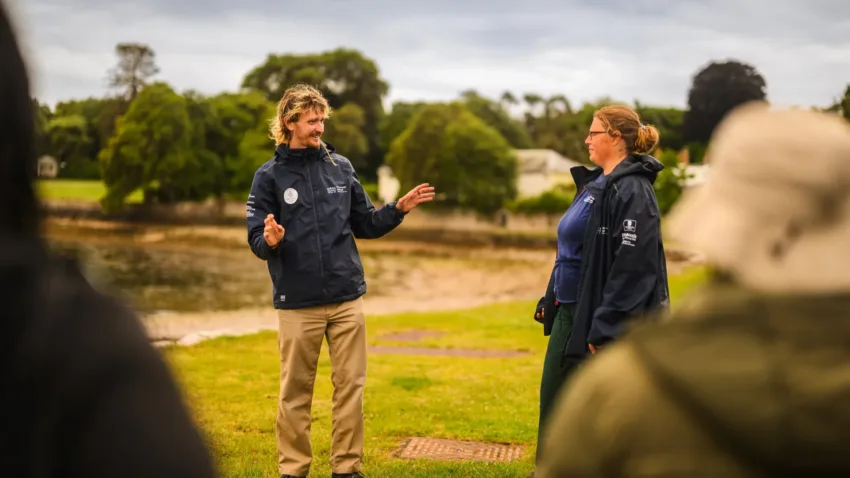
Treat your volunteers like any new employee. You’ve invested time and energy into recruiting the right candidate for the role so don’t let this hard work go to waste. Here a couple of things to consider when orienting your volunteers:
- A special welcome from the team. This can be done in person but it’s also a nice touch if you can share a pre-recorded message from your CEO just to make them feel extra special.
- Familiarise volunteers with their working environment, including offering tours of the office and facilitate introductions to team members
- Ensure that your volunteers have a clear understanding of your nonprofit, event or organization’s mission and the goal in which they are helping you to achieve
- Be clear in your expectations of the role including job description and responsibilities of volunteers
- Conduct a health and safety briefing
- Allow volunteers to ask questions
Benefits of volunteer orientation
There are so many benefits to orienting your volunteers. These are our top reasons to invest in onboarding your volunteers:
- Confidence. A volunteer armed with knowledge will perform much better than one who doesn’t feel confident in what they’re doing.
- Expectations are set. By orienting your new volunteers you set clear expectations from the outset as to what the roles and responsibilities of the role as well as key deliverables. This helps to mitigate risk of volunteers leaving halfway through their role as they have a clear understanding of what to expect from the beginning.
- Bring along a friend. A volunteer who is treated well and has a positive experience with your nonprofit, event or organization will sing your praises to their friends, family and colleagues and will become your strongest recruitment tool when you’re looking for additional volunteers.
Types of volunteer orientation
Depending on the role available, there are different ways in which you can orient your volunteers, including:
One on one orientation: For more complicated roles, you may wish to conduct your orientations one on one so that you can really get to know your volunteer and can go into detail about their specific role. For example, if you are looking for a volunteer to fulfil a fundraising role within your team for a certain period of time, it would be good to bring them into your office and acquaint them with their work environment, team and responsibilities.
Group orientation: If you require multiple volunteers for the same role, it might be more suitable to do a group orientation allowing you to still conduct a thorough orientation, just with multiple volunteers at once.
Event orientation: Some volunteer orientations may best be conducted on site at an event. This can be done either one on one or in a group setting. If you are planning on conducting a group orientation, make sure you factor time for this – this might mean that all volunteers need to arrive 30 minutes before their shift so that they can be oriented.
Tools to orient your volunteers
Engaging your volunteers from the moment that they interact with your nonprofit, event or organization is extremely important. Through the use of an online volunteer management system like Rosterfy, administrators will have the ability to efficiently orient their volunteers through a series of automated processes. This can include:
- A thank you message sent via email once a volunteer registers.
- Information about your non profit, event or organization and how volunteering will help you to achieve your goal/ mission
- Overview of the screening process such as background checks, including a timeline for when the successful applicant will be notified
- The successful volunteer candidate should receive information about orientation and how this will be conducted
- Remember to follow up with your volunteers after their orientation is complete. A good way to do this is through a survey so that you can better understand what you are doing well and areas that can be improved. This will ensure that over time, you perfect the volunteer orientation experience!
About Rosterfy
Rosterfy is used by non-profits, charities, sporting federations, and more to better manage their volunteer programs by improving how they can recruit, screen, train and retain volunteers.
Our market leading technology helps you create engaging experience throughout the whole lifecycle of your volunteer journey.
Explore additional blogs










REQUEST A DEMO
Unlock the potential of your volunteer program
Book a short discovery call with our team to learn how Rosterfy can help you better connect with, manage, and inspire your volunteers.