![Rosterfy_Logo_White.png]](https://www.rosterfy.com/hs-fs/hubfs/Logos/Rosterfy%20Logos/Rosterfy_Logo_White.png?height=40&name=Rosterfy_Logo_White.png)
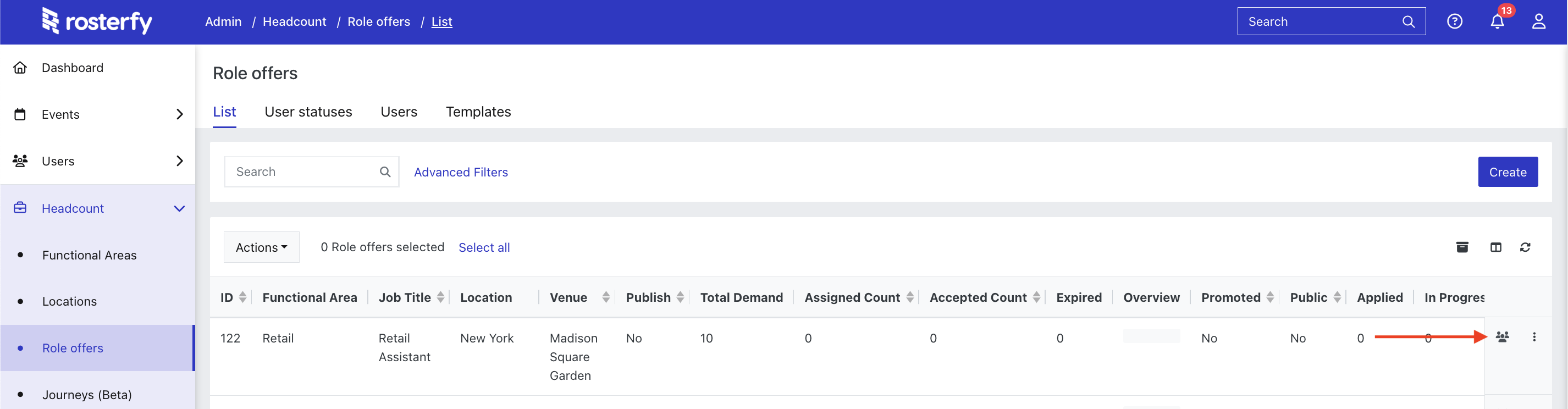
Headcount > Role Offers > View Users
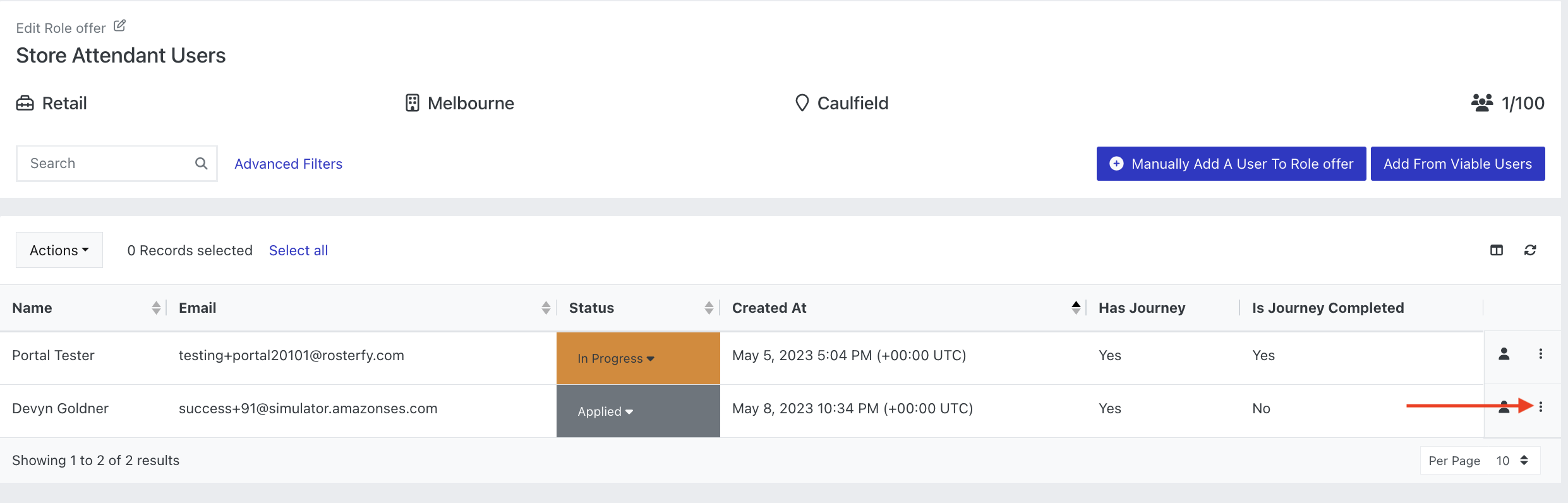
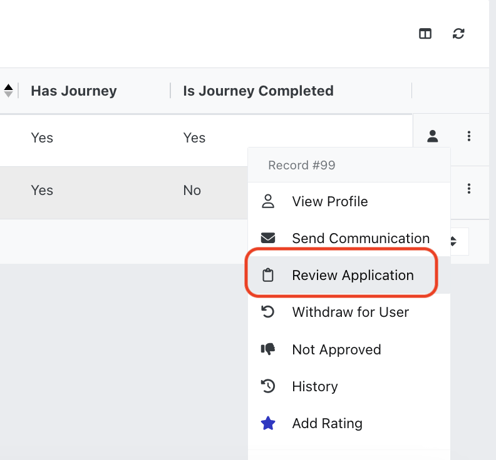
From the Role Offer User List, administrators can easily review the application of a candidate.
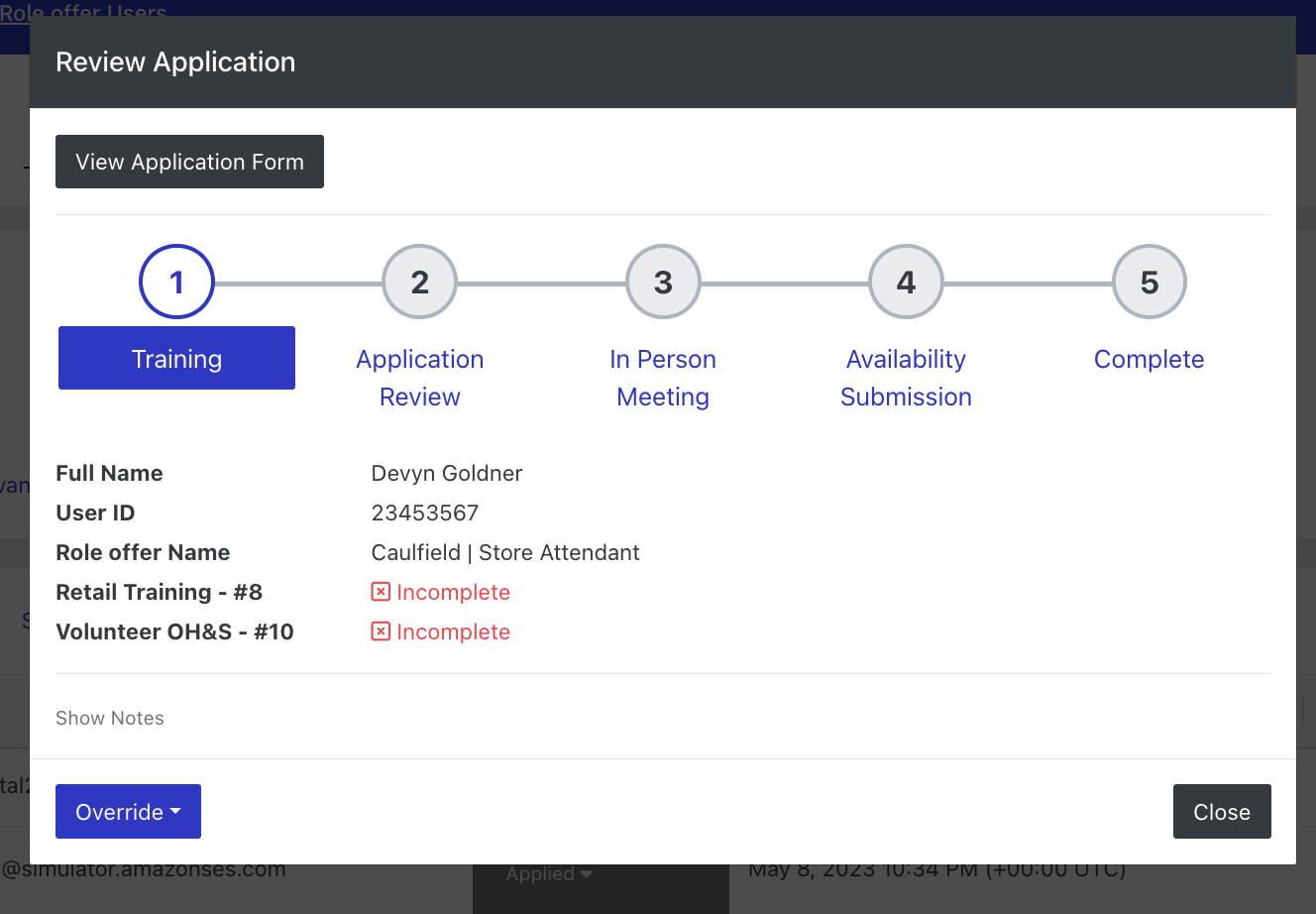
Within the Review Application popup, administrators can see;
- Journey steps (if there is a journey attached to the Role)
- Criteria status within each step
- Role Application Form (read-only)
- Notes section (with the ability to view and add notes)
- Override option (override a step or an entire journey)