![Rosterfy_Logo_White.png]](https://www.rosterfy.com/hs-fs/hubfs/Logos/Rosterfy%20Logos/Rosterfy_Logo_White.png?height=40&name=Rosterfy_Logo_White.png)
An availability field can be added to any form except for a registration form, to capture a user's availability.
You can create an availability form by following these simple steps:
1. Navigate to Settings > Organization Settings.
2. On the Users tab, ensure Allow Availability form fields? is marked Yes.
3. Navigate to Forms > List.
4. Click Create.
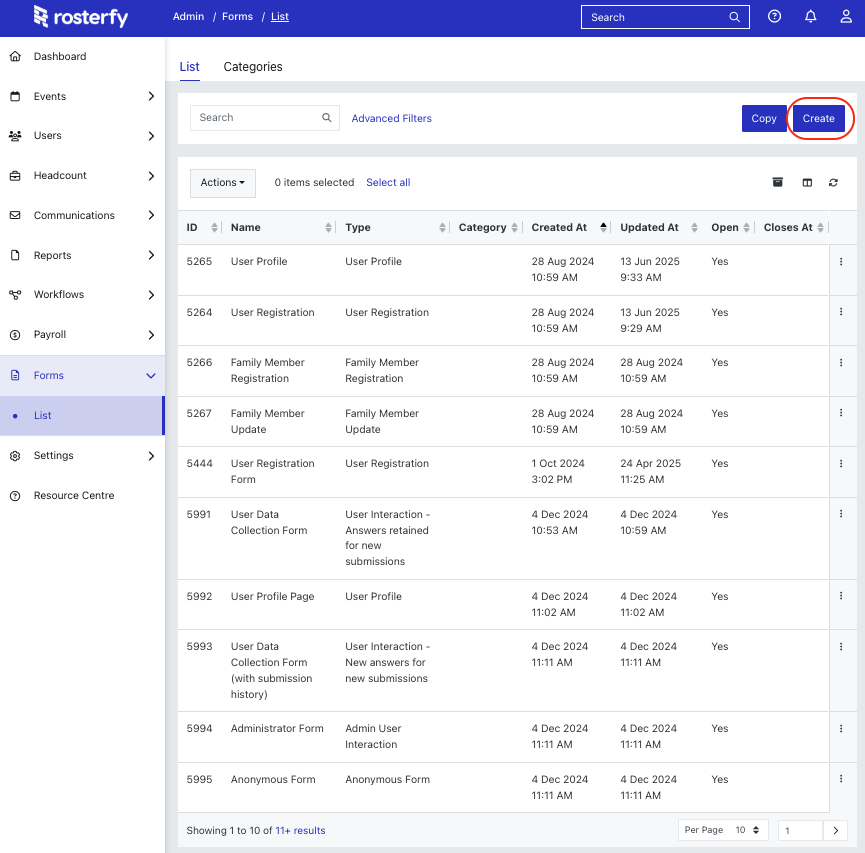
5. Select User Interaction Form type.
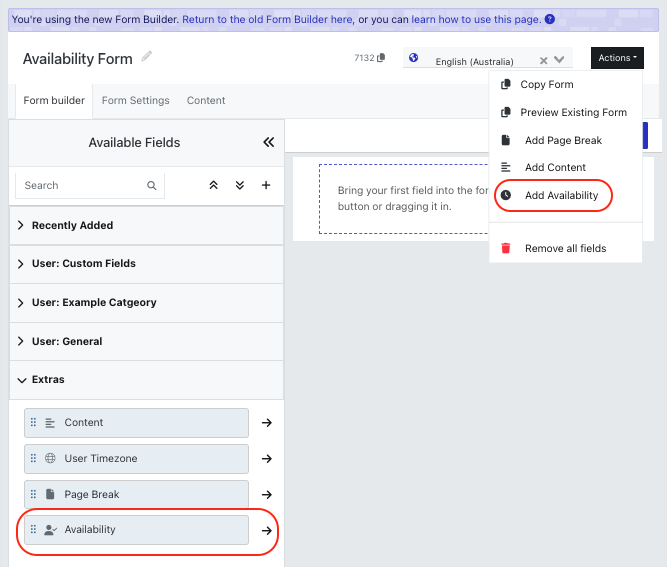
6. Name the form, then click Actions or Extras in Active Fields > Add Availability.
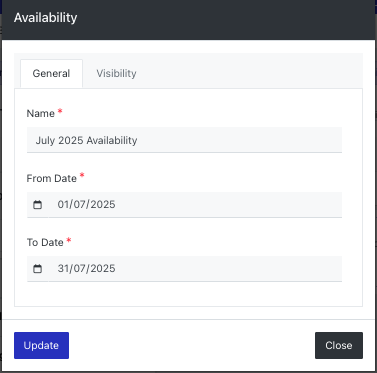
7. Name Availability field and set the required dates, then click Update.
8. Once you have finished updating the form, click Save.
9. Click Actions > Preview Existing Form to preview the form.
